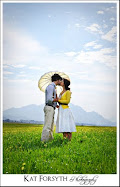
I'm showing Ed's before and after shot first, and then in each case I cropped the "before" picture and used that in photoshop to try get it looking exactly like Ed's "after" shot.


Do you see the problem I'm seeing? If not, good. Now tell me how talented I am.
If you do, and it's the same problem I'm seeing, it's that Ed's shots have a much prettier, softer, pinky tinge to them. Mine come more washed out and yellower. Look at the cake picture. The wall behind it should be pink, but mine is orange. The little girl (the result I'm least happy with) in picture 3 is a lot more, well, jaundiced than the pretty pinky girl she is in the real "after" shot. The shadow on the girl's chin in the first picture is far too yellow; the original pic has them quite pink; almost red in spots. And I've managed to wash out the colour in her face too.
I don't think my pics look BAD, but they're just not as pretty as they should be!
Photoshop for Dummies, here I come....